
MEGA
Mega Networks LLCProductivity
4.616.64K Reviews
- Version
- Varies With Device
- Installs
- 100.00M
- Age Rating
- Everyone
Screenshots
Our Review of MEGA
 Analysis by Appyee
My day-to-day test for a cloud drive is simple: can I save something from my phone, find it again later, and share it without turning the task into a project? MEGA is built around that kind of file handling, with privacy as a central part of the experience. I find it most useful when I want a place for documents and media that I can reach from more than one device, while keeping a closer eye on who can open shared files.
A practical starting point for everyday storage
MEGA is a free productivity app from Mega Ltd, and its cloud-storage focus is clear as soon as you start using it. It is rated for Everyone, has a 4.6 average from around 1.6 million ratings, and has passed 100 million installs. That broad use does not make it the right fit for every person, but it does suggest that the basic idea—keeping files available across devices—has practical appeal.
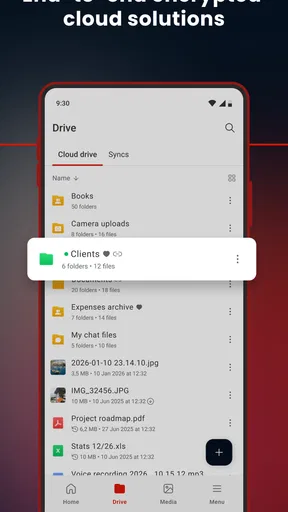
I would begin with a small, deliberate folder setup rather than moving an entire phone library at once. For example, make separate homes for current documents, personal scans, and files you expect to share. That gives you a simple retrieval habit: upload into the right place, then check the folder before sending a link. With any cloud drive, a little organization at the start is much easier than sorting a crowded account later.
Make privacy and sharing part of the workflow
The strongest reason I would choose MEGA over a basic file locker is its emphasis on end-to-end encryption. Files are encrypted before leaving your device, and access depends on the decryption key. That design suits people who are careful about private records or work in which documents should not be casually exposed. It also makes account recovery and key handling worth treating seriously: privacy protections help only if you keep the credentials and recovery details you need.
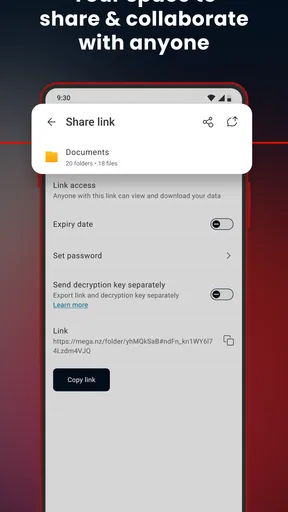
Sharing is more than copying a link and hoping for the best. When a file is sensitive, I would use the available link controls, such as a password or an expiration date, and send the password through a separate channel. For an ordinary, non-sensitive file, that extra step may be unnecessary; for a personal document, it is a sensible trade-off. Before sharing a folder, I would also pause to check what else sits inside it, since a convenient folder link can expose more than the one file a recipient needs.
Version history is another feature that earns its keep in a particular situation: a file that changes over time. If you edit a document and later realize the latest copy is wrong, previous versions can offer a way back. I would not treat that as a replacement for a separate backup, though. A cloud drive is convenient for access and recovery from ordinary editing mistakes, but keeping an independent copy of irreplaceable material is still prudent.
Build a repeatable phone-to-cloud routine
For a realistic everyday example, imagine photographing a signed form before leaving an appointment. I would upload it to a clearly named folder, confirm that the upload has completed, and then share only that item if someone needs it. Later, I could retrieve it from another device rather than searching through camera photos or emailing copies to myself. The useful habit is the confirmation step: a file that is still waiting to upload is not a dependable copy yet.
On both Android and iOS, I found the experience straightforward, though upload and download speed naturally depends on the connection. If you regularly send large files, I would make a habit of starting uploads on reliable Wi-Fi and checking their status before closing the app or heading out. For a handful of documents, that may feel cautious; for a large video or a folder needed before a deadline, it can prevent an avoidable scramble.
MEGA makes more sense as a deliberate file home than as a magical organizer. A useful shortcut is to keep a consistent naming pattern for items you expect to retrieve—such as a subject and date—rather than relying on memory or scrolling through a long list. Another is to separate active material from files you only keep for reference. Those habits make browsing faster without depending on features the app does not need to provide.
Where it fits among cloud drives
Compared with familiar cloud drives that are closely tied to an office suite or a phone ecosystem, MEGA is appealing when encrypted storage and controlled file sharing matter more than built-in document editing. If your work revolves around collaborating live inside shared documents, a service designed around those tools may be smoother. If your priority is keeping files in a private cloud space and moving them between devices, MEGA is a more natural candidate.
It is not automatically the best choice for every backup need. Someone who wants their phone to quietly preserve every photo with almost no decisions may prefer a service whose automatic photo workflow is the main attraction. Likewise, people who need a shared team workspace with established editing and administration routines should compare those collaboration tools before moving important work. MEGA’s strengths are more compelling when you are comfortable managing files and links yourself.
Getting Started with MEGA
First things first, setting up MEGA is a breeze. Download the app from the Google Play Store or Apple App Store, and you’re off to the races. The sign-up process is straightforward, and you’re greeted with a generous 20GB of free storage right off the bat. That's quite a welcome gift compared to what other services offer.
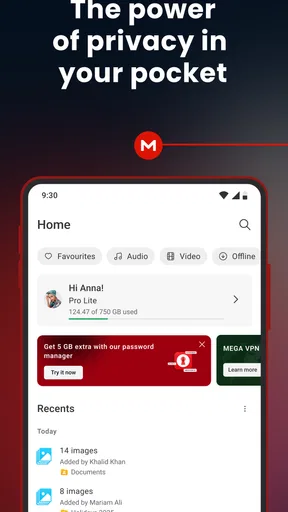
Once you're in, the interface is clean and intuitive. You don’t have to be a tech wizard to navigate your way around. Everything is neatly organized, and it gives off a minimalist vibe that I absolutely adore. Uploading files is as simple as tapping a button, and before you know it, your files are safely tucked away in the cloud.
Features Worth Noting
Now, let’s dive into some of the features that make MEGA stand out. One of the biggest selling points is its end-to-end encryption. Your files are encrypted before they leave your device, and only you hold the decryption key. This means not even the folks over at MEGA can peek at your stuff. It’s like having a digital vault that only you can open.
Another nifty feature is the file versioning system. Have you ever accidentally overwritten a file and wished you could turn back time? With MEGA, you can access previous versions of your files, which can be a lifesaver in those "oops" moments.
Sharing files is also a breeze. You can generate a link to share with others, and you have the option to set passwords and expiration dates for these links. This adds an extra layer of security, giving you peace of mind when sharing sensitive files.
Performance and Usability
I’ve tested MEGA on both Android and iOS, and the performance is pretty solid across the board. Uploads and downloads are swift, though this can vary depending on your internet speed. The app runs smoothly, with no noticeable lag or crashes during my time with it.
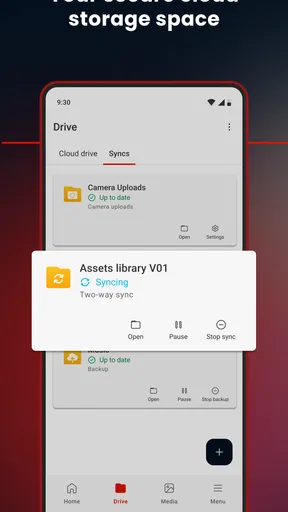
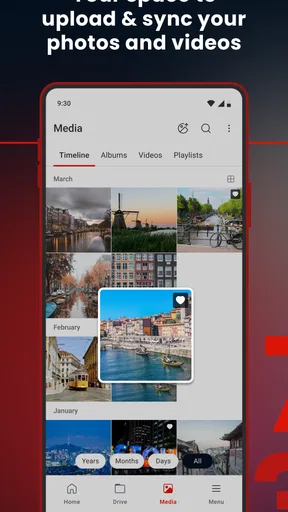
The synchronization feature is also seamless. Whether I was switching between my phone and tablet, my files were consistently up-to-date. It's like having a little digital assistant ensuring everything is where it should be.
Plans and Pricing
MEGA is free to install, but people who need more room can encounter in-app purchases priced from $5.49 to $366.62 per item. I would think about the amount of storage I actually use and how often I need to share large files before paying; a bigger plan is useful only if it solves a real capacity problem. The app has been available since February 8, 2016, and its long-running presence makes it familiar to many cloud-storage users, but I would still choose a plan based on my own workload rather than on popularity.
One thing to keep in mind is that while the initial free storage is more than generous, if you plan on using MEGA for heavy-duty storage, the paid plans are the way to go.
Final Thoughts
In a world where data security is more critical than ever, MEGA delivers on its promise of providing a secure, easy-to-use cloud storage solution. Its end-to-end encryption is a standout feature, and the peace of mind it offers is invaluable.
Whether you're a casual user needing a bit of extra storage or a power user looking for a secure space to store a large amount of data, MEGA has something to offer. So, if you haven't already, give it a whirl. It's a solid choice in the world of cloud storage, and who knows, it might just become your new best digital friend.
Make the setup work for your habits
One question I would ask before choosing any cloud drive is whether I want it to be an archive, a working folder, or both. MEGA can serve either role, but mixing them without a plan makes it harder to know which copy is current. I would keep files I am actively editing in a clearly marked area and move completed items into a reference structure. That small distinction helps prevent an old version from being mistaken for the latest one.
It is also worth reviewing the app’s settings and account options before relying on it for important material. I would check how uploads behave on mobile data, what account security and recovery choices are available, and whether the app’s notifications suit my routine. These are practical checks rather than reasons to change every default: the goal is to avoid surprise data use, missed uploads, or a recovery problem when I need access.
Use links with a little discipline
A useful sharing routine is to treat every link as a separate decision. For a one-off handoff, share only the exact file; for a small set of related material, use a folder only after checking its contents. If the recipient needs continued access, an expiration date may get in the way, while a short-lived link is better when the transfer is temporary. Choosing the control to match the purpose is more useful than applying the same setting to every share.
There is a trade-off to the privacy-first approach: you need to be more attentive to access details than you might be with a service built around casual collaboration. Before sending something important, I would test the link from the recipient’s perspective or confirm that the password arrives separately. That extra care is worthwhile for sensitive files, but it may feel like friction if your everyday work involves many fast, low-risk handoffs.
Know what it will and will not replace
MEGA is a strong fit for people who want cross-device access, encrypted file storage, and control over shared links. It is less convincing as a substitute for every digital tool at once. It does not remove the need to organize local files, keep an independent copy of critical records, or use a dedicated collaboration service when a group must edit and discuss the same document together. I would skip it if I wanted storage to happen invisibly with almost no file management, or if my main requirement were a tightly integrated office workflow.
There is also a practical question about switching: do not move everything just because a new cloud drive seems attractive. Start with a few non-critical folders, try uploading and retrieving them on the devices you actually use, and confirm that your sharing habits feel comfortable. Then decide whether the privacy and storage workflow justify making it your main drive. That gradual test is safer than discovering only after a large transfer that your daily routine depends on another service’s editing or backup behavior.
My take after settling into the routine
I see MEGA as a capable cloud drive for someone willing to make a few deliberate choices: keep a tidy folder structure, verify important uploads, protect sensitive shares, and understand how account access is maintained. Those habits make its privacy and cross-device convenience more useful in everyday life. They also reveal the app’s limits honestly: it is a place to store and move files, not a replacement for every backup, editing, or team-collaboration tool.
If that balance sounds right, I would try it with documents or media that benefit from secure access across devices, then expand only when the workflow feels reliable. If you value automatic, hands-off photo backup or live group editing above file privacy and link control, another service may suit you better. For my own use, the best reason to keep MEGA installed is not a promise of effortless organization; it is the combination of accessible storage and a more considered way to handle private files.
Verdict
Strengths of MEGA
- Generous free storage space offered.
- High-level encryption for data security.
- Cross-platform compatibility.
- User-friendly interface and design.
- Efficient file transfer speeds.
Limitations of MEGA
- Limited collaboration features.
- Requires internet for access.
- Occasional sync issues reported.
- Lacks advanced editing tools.
- Paid plans can be pricey.
Similar Picks in This Category
View All
Google Calendar
Google LLC4.6

Google Drive
Google LLC4.3

Google Assistant
Google LLC3.9

Microsoft OneDrive
Microsoft Corporation4.6

Samsung Calendar
Samsung Electronics Co., Ltd.4.1

Microsoft OneNote: Save Notes
Microsoft Corporation4.6
Frequently Asked Questions
What is MEGA and how does it work?
MEGA is a cloud storage service that allows users to store and share files securely. It offers end-to-end encryption to ensure that only you and those you authorize can access your data. You can upload files from your devices, organize them in folders, and share them via links or collaboration features.
How secure is my data on MEGA?
MEGA provides robust security through end-to-end encryption. This means your data is encrypted before it leaves your device and remains encrypted until it's accessed by you or someone you authorize. MEGA doesn’t have access to your encryption keys, ensuring your privacy and data security.
What are the storage options available on MEGA?
MEGA offers various storage plans to suit different needs. Free users receive 20GB of storage, while paid plans range from 400GB to 16TB. These plans come with different features like increased transfer limits and priority support, allowing you to choose based on your requirements.
Can I access MEGA on different devices?
Yes, MEGA is accessible on multiple platforms, including Android, iOS, Windows, macOS, and web browsers. The app syncs your data across all devices, ensuring you can access your files anytime and anywhere, as long as you have an internet connection.
Are there collaboration features available on MEGA?
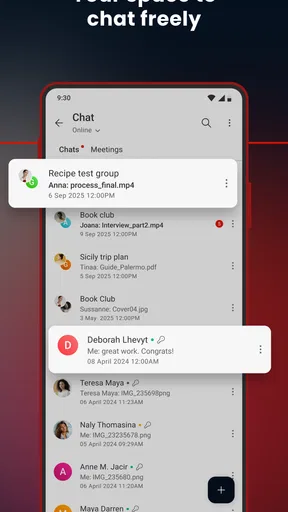
MEGA supports collaboration by allowing you to share files and folders with others. You can set permissions to control who can view or edit the content. Additionally, MEGA provides chat functionality for real-time communication, making it easier to collaborate on projects with team members.
